

- Action: To Do List item A0271 – Update all Raymarine components with latest software.
- Completed: 23 April 2018
- Cost: $26.67
The Raymarine website has a page that contains links to obtain software updates for each applicable component. To organize and track the different updates a spreadsheet was created with the following information.
| Item | Software Version | Boot FW | Release Date |
| a98 | v19.03 | 1-Apr-17 | |
| i70 | v3.11 | v1.01 | 1-Nov-17 |
| ITC-5 | v1.12 | v1.14 | 1-Aug-14 |
| Evolution EV1 | v2.18 | 1-May-17 | |
| p70 | v3.07 | 1-Aug-16 | |
| ACU100 | v2.23 | 1-Apr-17 | |
| Quantum Radar | v1.51 | 1-Jan-17 | |
| AIS650 | v2.02 (040200.02.02.00) | 1-Jun-17 | |
| AIS650 USB Driver | v2.00 | 1-Jun-17 | |
| proAIS2 | v1.10 | 1-Mar-18 |
Each software item was downloaded onto a laptop computer and organized into separate folders. Purchased two SanDisk Ultra 32GB microSDHC UHS-I Card with Adapter ($21.18) to load the software on for use in the Raymarine a98 MFD chartplotter. A 6 foot USB 2.0 cable ($5.49) was also obtained to interface the laptop to the Raymarine AIS650 unit.
In April 2018, we partially installed and electrically connected most of the Raymarine navigational system. With the flip of the new Blue Sea DC Distribution panel switch, its LED ON light illuminated, the Raymarine a98 MFD chartplotter powered on, and the two i70 and one p70 navigation instruments screens illuminated.

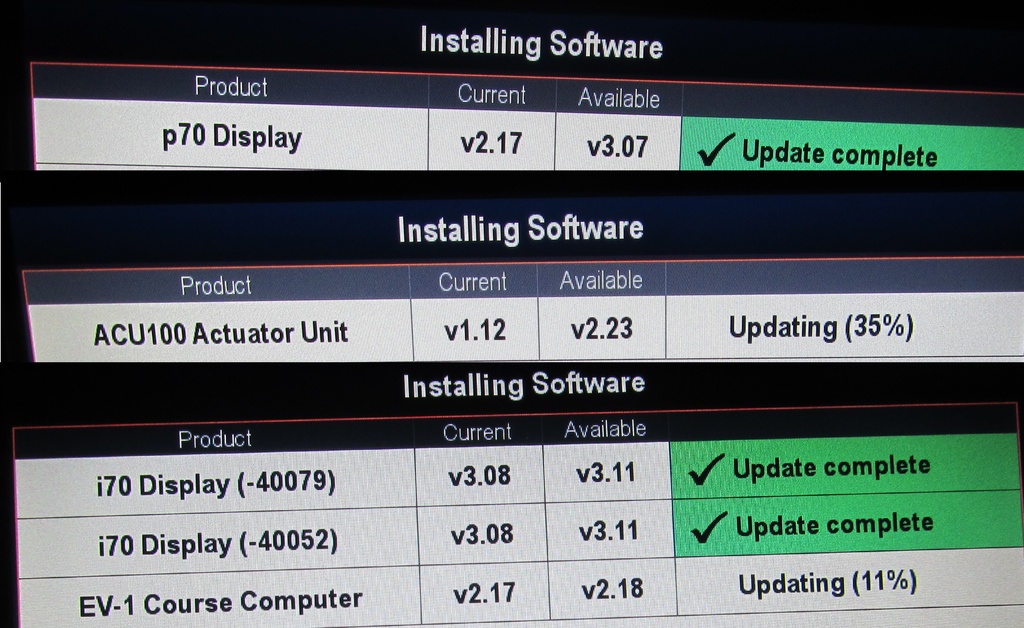
The Raymarine a98 MFD chartplotter was powered off, the SD card containing the software updates was installed, and the MFD powered back on. The software loading process was fully automatic and only needed to wait until it completed.

Next, selected and loaded software into the other units.
The Raymarine AIS650 unit was loaded with an SD card inserted directly into the unit and then it was powered on individually. The expected flicker of lights described in the manual appeared and the software load was complete. The entire system was powered back on and confirmed the AIS650 software load was good.

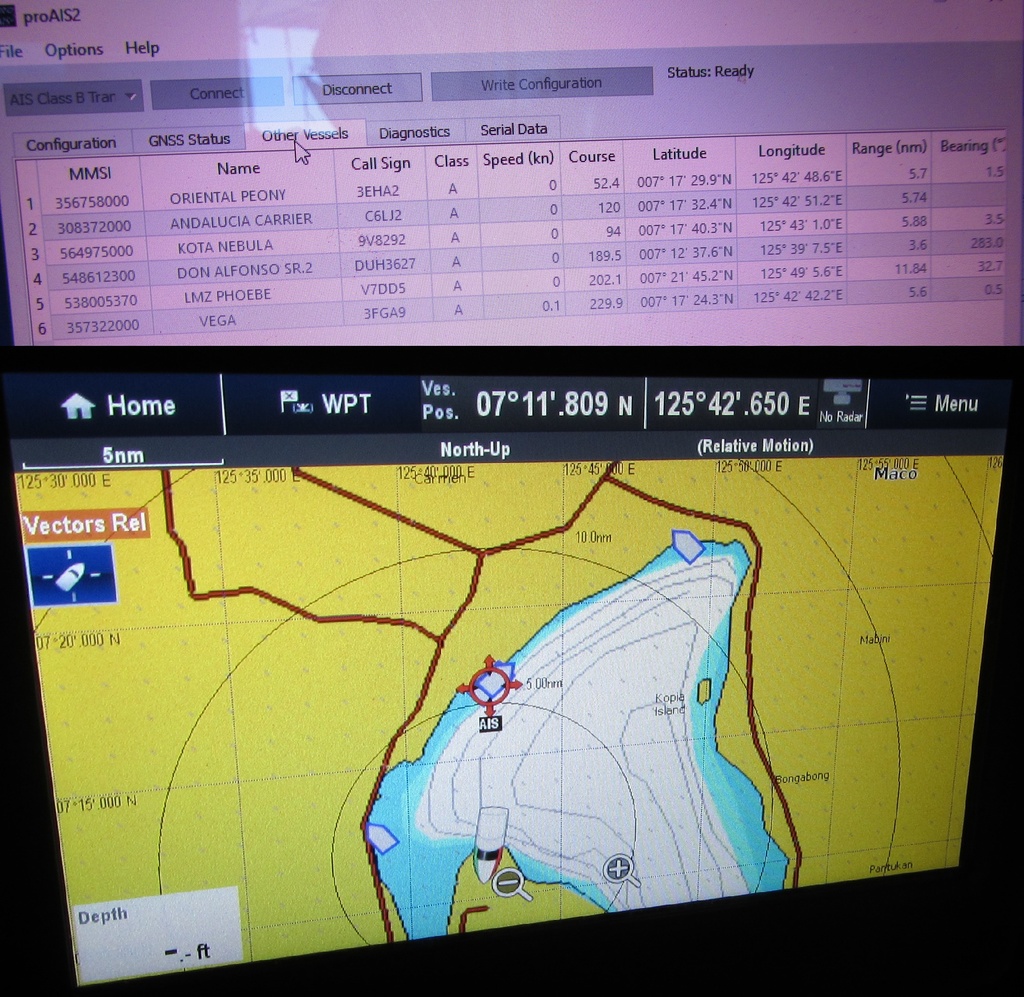
Connected the laptop computer to the Raymarine AIS650 unit and using the proAIS2 software setup the vessel's details and GPS antenna location.

Ran the proAIS2 diagnostics on the Raymarine AIS650 unit and all indications were good.

Checked the Automatic Identification System (AIS) and the operational map displayed on the a98 MFD chartplotter mirrored the vessels shown on the proAIS2.
The DST800 Triducer was connected to iTC-5 Converter, however noticed no depth indication was displayed on the i70 instrument display. Verified the DST800 Triducer temperature output on the Raymarine a98 MFD chartplotter was good. Next rotated the DST800 Triducer speed wheel and obtained a 7 knot indication on the i70 instrument display. Temporarily connected the CPT-120 Thru-Hull sensor to the Raymarine a98 MFD chartplotter which showed a detailed depth display and the i70 instrument displayed 19.3 feet, as shown below. Powered off the system and rechecked all the DST800 Triducer wiring connections at the iTC-5 Converter but found no deficiencies. There was a strong possibility that the new DST800 Triducer was defective for depth indications - this was added to the To Do List, item A0295 - Obtain replacement DST800 Triducer.

The new Raymarine Quantum Q24C CHIRP Radome was still in its box, but decided to jury rig its connections to enable its software to be updated. Located the radar unit in the cockpit and made all the appropriate electrical connections including the data cable. The radar was powered on and came right up in Standby mode. The software loaded successfully. The display indicated a Quantum Wired Adapter version 1.16 was successfully loaded, however this was unexpected as this adapter was not identified in any of the Raymarine documentation.

To confirm the Quantum Wired Adapter was a result of the data cable being connected, powered the system off and disconnected the data cable. Repowered the system on and the Quantum Wired Adapter was no longer listed as a software device. Enabled the Raymarine Quantum settings to operate in wireless data mode and the wireless connection was successfully established as indicated in picture below.

The system was powered off, the radar unit disconnected and stowed back in its box. All Raymarine components were successfully updated with the latest available software.